









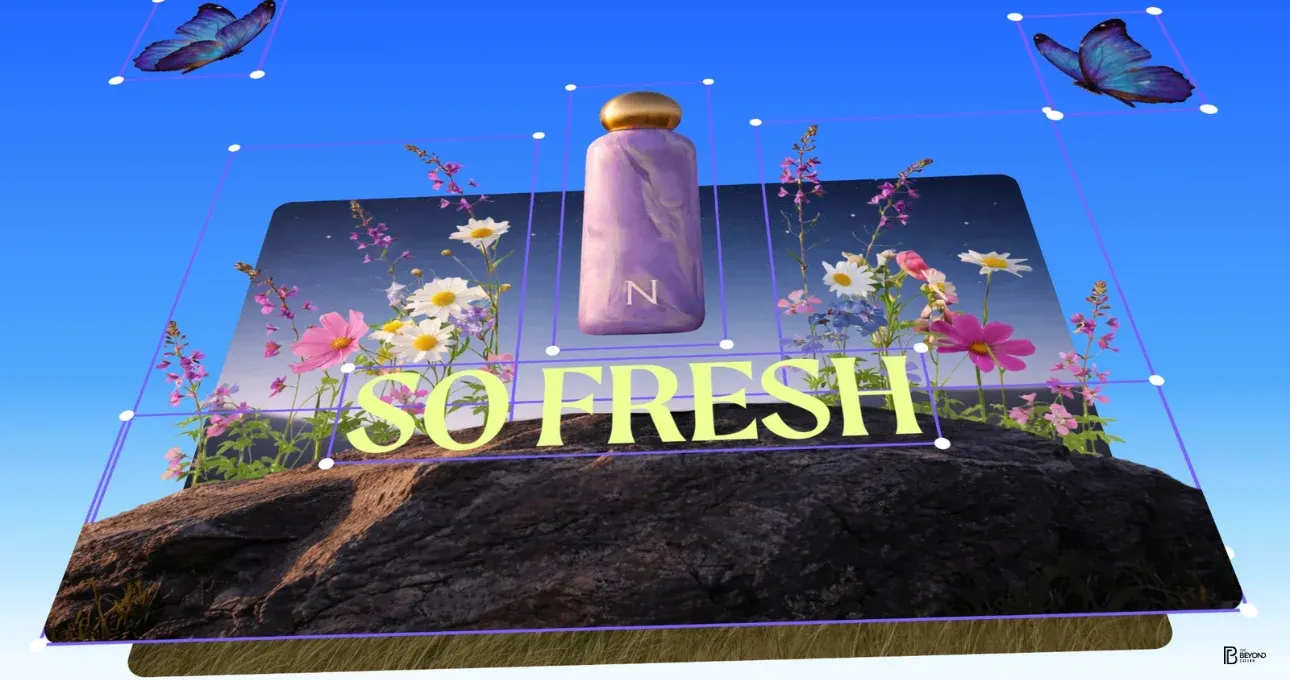
Canva has introduced a new artificial intelligence feature called Magic Layers, designed to convert flat images—including those generated using AI—into fully editable, layered designs. Announced on March 10, the feature aims to solve one of the most common challenges designers face with generative AI tools: images typically export as static PNG or JPEG files that cannot be easily modified.
With Magic Layers, Canva allows users to upload an image and automatically break it down into individual editable elements. This means designers no longer need to recreate layouts from scratch or rely on complicated editing techniques to modify AI-generated graphics.
The new feature is powered by Canva’s proprietary Canva Design Model, introduced in October 2025. Using advanced image analysis and segmentation technology, the model can recognize different components inside an image—such as text, icons, logos, shapes, backgrounds, and objects—and separate them into individual layers.
Once processed, each element becomes independently editable within Canva’s design editor. Text automatically converts into live text boxes, vector graphics remain scalable without losing quality, and visual elements can be resized, recolored, repositioned, or replaced while preserving the original design layout.
According to Cameron Adams, the company’s co-founder and Chief Product Officer, Magic Layers represents a major shift in how people interact with visual content. He described the tool as a breakthrough that understands design structure rather than simply analyzing pixels. This approach allows users to revisit older design assets or modify AI-generated visuals without having to regenerate images using prompts.
Unlike many AI editing tools that only work within their own ecosystem, Magic Layers can also process images created outside Canva. This expands its usefulness for designers who frequently work with visuals generated by other AI tools.
How Magic Layers Works
The workflow for Magic Layers is designed to be simple and fast. Users can access the feature through Canva Labs by enabling the beta option in their account settings. After activating the feature, they can upload any single-page image or design.
Within seconds, the AI analyzes the file and reconstructs the visual into separate editable layers. For example, if a user uploads a promotional poster, the tool may split the design into multiple components such as headline text, product images, icons, and the background.
Once separated, users can edit each element individually. Colors can be adjusted to match brand guidelines, text can be modified with different fonts, and images can be swapped with new assets. Designers can also combine Magic Layers with other tools inside Canva’s Magic Studio, including animations, visual effects, and AI text generators.
Currently, Magic Layers is available in public beta for Canva Pro and Teams users in countries such as Australia, Canada, the United Kingdom, and the United States. The company plans a wider global rollout in the near future, with multi-page support expected in upcoming updates. Access to the feature is included within existing subscriptions, though Canva may expand availability to free-tier users after the beta phase.
Impact on the Design Industry
Magic Layers arrives as Canva continues to expand its AI-powered design tools. The company reports that its design model has already generated millions of editable graphics, presentations, and social media visuals. Canva has also integrated with leading AI platforms such as OpenAI, Anthropic, and Microsoft Copilot, strengthening its ecosystem of AI-powered creative tools.
For marketers, educators, and small businesses—the platform’s massive global user base—Magic Layers could significantly simplify design workflows. Instead of rebuilding graphics manually, users can transform AI-generated images into customizable assets in seconds.
Industry observers believe the feature could also challenge competing design platforms like Adobe Firefly, particularly because Canva emphasizes ease of use. Unlike traditional design software that requires professional editing skills, Magic Layers allows even beginners to modify complex visuals.
While the beta version currently supports only single-page images and may occasionally struggle with complex visuals, Canva is expected to improve accuracy as the technology evolves through user feedback.
With Magic Layers, Canva is addressing a major limitation in AI-generated design—turning static visuals into flexible, editable assets. As generative AI continues to reshape creative workflows, tools like Magic Layers could help bridge the gap between automated design and human creativity.